koboi Mobile App
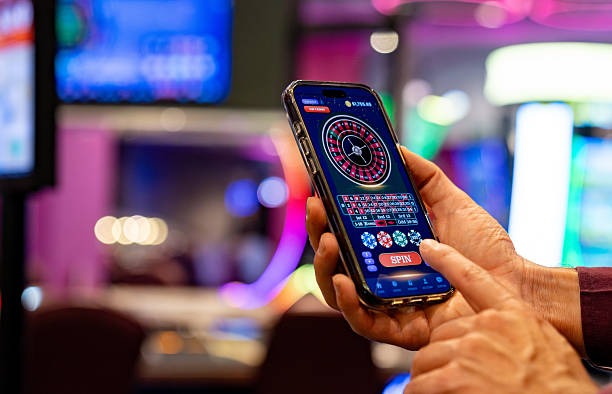
Our koboi platform is accessible via Android APK, iOS browser, and web app. Each path offers the same account, deposit, and withdrawal features—DANA, e-wallet, mobile banking, local payment, online payment, e-wallet, and bank transfers (mobile banking, local payment, online payment, e-wallet). Choose the installation method that suits your device and network.
- LoginOTP Verification
- SHA256 Match
- and
- StartFirst Game
Mobile-first access means you can check Liga 1 fixtures, Piala AFF tournament schedules, and live-dealer table availability from anywhere. Push notifications alert you to in-play odds and withdrawal confirmations. Our app cache reduces data use when your connection is weak, keeping the betting interface responsive during peak hours.
Device compatibility spans Android 7 and later, iOS 12 and later, and all modern browsers. Installation takes under three minutes—download, allow unknown sources (Android only), register your account, and deposit. We prioritise security at each step: app signing, certificate pinning, and encrypted account sessions.
Installation paths on koboi
We offer three ways to access our koboi platform. Android users download our APK directly and install it on their home screen. iPhone and iPad users rely on our web app and iOS Safari bookmark—add to home screen for a native-like experience. Desktop and tablet browsers load our full web version.
Android APK
Direct installation from koboi. Fastest performance, push notifications enabled by default.
Download APKiOS Browser
Safari or Chrome. Add to home screen for instant access. No app store required.
Go to koboiWeb App
Desktop, tablet, or mobile browser. Full functionality. No installation needed.
Open Web AppGetting started on koboi

Four-step setup
-
1
Download
Android: download our APK from the koboi website or scan the QR code. iOS / web: open koboi.app in Safari or Chrome.
-
2
Install
Android: allow unknown sources, tap the APK file, and confirm installation. iOS: tap Share, select Add to Home Screen, and label it koboi.
-
3
Register
Create your account: email, username, mobile number, and password. Confirm the terms and conditions.
-
4
Deposit and start
Choose your payment method (DANA, e-wallet, mobile banking, local payment, online payment, e-wallet, or bank transfer), fund your account, and access Liga 1, live dealers, and slots.
Android installation note
If you see "Unknown sources" warning, navigate to Settings → Security → Unknown Sources (or Install unknown apps) and enable it for Chrome or your file manager. This is a standard Android security step and does not affect koboi's app signing or certificate pinning.
App versus browser comparison
Our koboi app (Android APK) loads faster than the browser version because it caches League 1 team rosters, game information, and past match results locally. Push notifications arrive instantly when a Piala Indonesia fixture goes live or when your withdrawal completes. Offline mode lets you review account history and game rules without an internet connection.
The web app and browser access offer the same account security and payment methods. If your device does not support our APK or you prefer not to install software, the browser version gives you full access to football betting, live-dealer tables, and slots. Choose based on your usage pattern: frequent users with Android devices benefit from the app; casual users or iOS players are well served by the browser.
Device compatibility
Our koboi platform runs on Android 7.0 and later, iOS 12 and later, and all modern browsers (Chrome, Safari, Edge, Firefox). Older devices may experience slow loading or missing features. If your device is Android 6 or earlier, we recommend upgrading your operating system or accessing koboi via a web browser on a newer device.
Tablet users (iPad, Samsung Galaxy Tab, Lenmobile banking) enjoy the same experience as phones. For the smoothest performance, ensure your device has at least 100 MB of free storage (Android app) and a stable network connection (2G or faster).

Common installation issues and fixes
If the APK download does not start, check that your internet connection is stable and your browser allows downloads. Some carriers or networks block direct APK downloads; if this happens, try connecting to Wi-Fi or using a VPN. If installation fails after download, ensure you have enabled "Unknown sources" for your file manager or browser.
On Android, a "Certificate not trusted" error during installation is rare and usually means your device's system clock is incorrect. Go to Settings → Date & time → Set automatically and try again. If the koboi app crashes on startup, clear the app cache (Settings → Apps → koboi → Storage → Clear cache) and restart. Our support team can assist via email or in-app chat if problems persist.
iOS users who cannot add the web app to their home screen should ensure they are using Safari (not Chrome) and that they are not in private browsing mode. iOS private mode does not allow home-screen bookmarks. If you see a blank page after tapping your home-screen shortcut, force-close Safari in the app switcher and reopen it.
Account security and app permissions
Our koboi app requests camera permission (for account photo verification during KYC), location permission (to verify you are in a supported jurisdiction), and notification permission (for deposit and withdrawal alerts). We do not share these permissions with third parties and do not track your location beyond the initial verification. You can revoke any permission in your device settings at any time without affecting your account balance or betting access.
All communications between our app and our servers use TLS 1.2 encryption. Your account password, deposit details, and betting history are never stored on your device—only your session token is cached locally for faster login. If you lose your device or believe it has been compromised, log into koboi from another device, change your password immediately, and contact our support team to flag the incident.
Tips and notes
Our koboi platform prioritises speed, security, and payment flexibility across all devices. Install once, verify your account, deposit via DANA, e-wallet, mobile banking, or bank transfer, and access football markets and live dealers immediately.
Network performance varies by location. If you are in Jakarta, Surabaya, Bandung, or Medan during peak hours (evenings and weekends), our app's local cache improves load times by 30–50 percent compared to the browser. Check your data usage in Settings → Mobile Data or your carrier app to monitor consumption during live-stream sessions.
Push notifications are enabled by default when you install the koboi app. You can disable them in Settings → Notifications or in your device settings. Notifications include league announcements (Liga 1, Piala AFF, Champions League fixtures), deposit confirmations, and withdrawal status updates. They do not include promotional offers or unsolicited messages.
If you use the web app frequently, consider adding it to your device home screen for faster access—no re-download needed. The bookmark stays linked to your existing account; logging in once applies to all your devices (phone, tablet, desktop). Our services are available only where local law permits online gaming; verify your jurisdiction compliance before using any installation method.